JILILIVE Sports Philippines – Basketball, Football & Live Markets
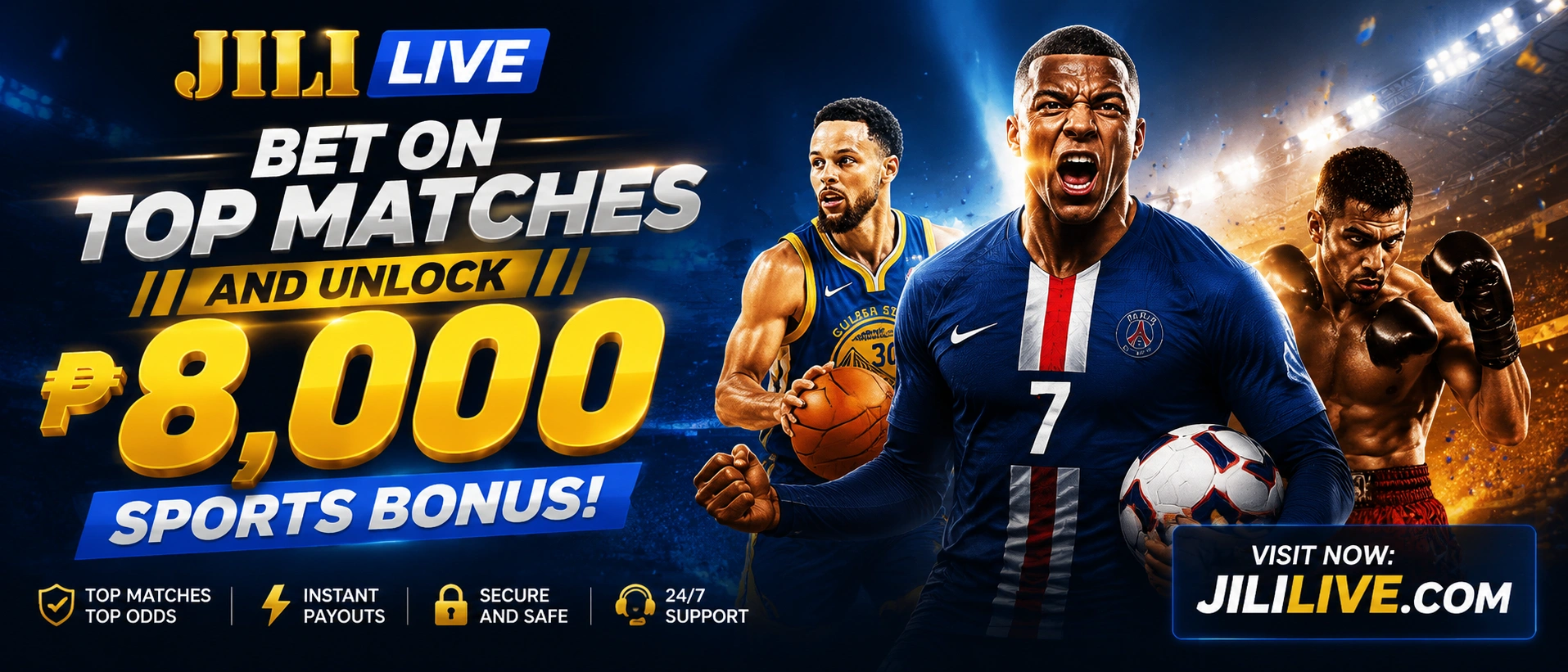
One quick scroll before tip-off. One clean lobby for the commute. One place to check basketball, football, and UFC lanes without fighting a crowded layout. JILILIVE keeps the sports entry simple for Filipino users who want fast market checks, match-day notes, and a mobile view that does not feel packed from edge to edge.
Quick access to active sports categories, match notes, and current lobby availability. Market availability may change. Odds can move before and during an event, and settlement follows the published sportsbook rules.
What fans usually check first
Basketball is the main pull, then football and UFC. That mix works well for short sessions because a user can open the lobby, scan the lane that matters, and move straight to the event without a long detour.
“Market availability may change. Odds can move before and during an event, and settlement follows the published sportsbook rules.” That one line matters more than a flashy banner. It tells a fan to check the lane, read the note, and confirm the market before committing.
Brand value with less clutter, more match focus
JILILIVE is built like a sports lobby, not a long article. The page gives Filipino users a direct path to the sports areas that usually get the most attention: basketball, football, and UFC. Instead of stuffing the screen with noise, it keeps the decision points close together so a user can compare markets, read the match note, and move on in a few taps.
Short path to active categories
Open the sports area, scan the visible lanes, and move straight to the event. That simple flow suits fans checking games during breaks, before work, or right before a live window starts.
- Basketball and football are easy to spot.
- UFC is kept in the same visual rhythm.
- Match notes stay close to the market area.
Wallet cues that feel local
GCash and Maya are highlighted for Philippine users, which helps when people want a familiar payment route and do not want to dig through unrelated pages. The point is clarity, not flash.
- Local wallet names are easy to recognize.
- Payment guidance sits near sports actions.
- Useful for mobile-first browsing.
Live odds basics without guesswork
The site points users toward a live odds guide rather than pretending every market stays still. That is better for real users because odds can change, and market rules matter as much as the team name on the screen.
- Check the event before you commit.
- Review how settlement works.
- Expect movement during busy match nights.
Sports category grid
The strongest lanes from the source text are all here: sports betting, NBA and PBA, football markets, and UFC. That keeps the page aligned with actual user intent instead of pretending to cover every sport on earth. Filipino fans can jump from one lane to the next without losing the thread.
Basketball betting
The basketball path is the most natural entry for PH users who follow NBA storylines, local league chatter, and busy game nights. It suits quick checks because basketball markets are usually easy to compare at a glance.
Match-day football
Football fans usually want a cleaner fixture view, especially when kickoff times and market types matter more than a long paragraph. This lane is set up for fast event checking, not endless scrolling.
Read the line before it moves
Live markets are useful when the event is already underway and the numbers keep changing. The smart move is to open the guide, check the rules, and confirm the market state before you act.
Basketball fans in one view
The source text calls out NBA and PBA directly, which makes basketball the clearest priority lane on the page. Users who follow both can compare match notes without switching to a separate sports hub.
Fight card tracking
UFC is best presented as an event lane, where the card, timing, and matchup context are the real drivers. A compact layout helps fans keep up with the headliners and the undercard without losing track.
Designed for short sessions
The page is meant to work on a phone first. Touch targets stay large, cards stack cleanly, and the important information sits above the fold so users can move fast while commuting or taking a break.
Popular sports showcase
These cards are intentionally visual. The lobby feels better when the most active lanes are shown as real blocks instead of a text dump. The image set below preserves the provided source files exactly, and the copy stays tied to the source facts.
 Basketball
NBA and PBA
A tight view for basketball followers who want the main lane first. Good for users who check the schedule, compare game notes, and move quickly between markets.
 Football
Football markets
Built for users who care about match-day context and don’t want the schedule buried under extra noise. Clean layout, quick scanning, and a direct path to the event.
 UFC
UFC
Fight card lane
For fans following a main card, prelims, or a headline bout. The page keeps combat sports in the same visual rhythm as basketball and football, which makes navigation feel simpler.
Mobile view
Touch-friendly layout
The same source image can be used in different spots to support a stronger mobile flow. That helps the page feel more like a sports lobby and less like a static poster.
Live markets
Market note block
This card reinforces the live-odds angle without inventing prices or scores. It simply keeps the page honest: check the current market state before you place anything.
Fast access
Match-day entry
A quick visual landing point for users who want basketball, football, or UFC in one place. The structure stays compact enough for small screens.
PH users
Wallet-aware flow
The page keeps local wallet references visible so Filipino users do not have to hunt for them. That small detail lowers friction during a live session.
Lobby
Clean sports entry
This final tile repeats the original visual resource exactly and gives the page a more platform-like feel. It reads as a lobby, not a blog gallery.
Featured competitions and event lanes
The source text gives a tight set of sports references, so the competition section stays focused. That focus is useful. Fans usually want the event type before the brand story, especially when the night is busy and they only have a minute.
Two lanes that make sense together for Filipino users. NBA brings the global storylines, while PBA keeps the local angle close enough for regular checking. The compact setup helps when a user wants to compare both without jumping around.
Football works best when the fixture note is visible and the market types are easy to read. A user can scan the match, check the timing, and decide whether to stay in pre-match mode or wait for live movement.
UFC fits naturally into a fight-card layout. The useful details are the event, the bout order, and the market note. That is enough to keep the page practical without pretending to know the result in advance.
The live odds guide should help users read movement, not chase a number they do not understand. When the market changes, the value of the guide becomes more obvious because timing starts to matter.
Fans often open the lobby right before a game starts. That makes short notes more useful than long explanations, especially on mobile where people want a clean answer in one glance.
Not every market stays open all the time. The page keeps that honest and tells users to check the current sports section whenever the fixture window changes or a market closes early.
Live scores and match schedule window
The source text confirms live markets and a live odds guide, so this module works as a match-check area rather than a fake scoreboard. If a score feed is active, users should see it here. If not, the page still gives them a useful checklist for the event they want to follow.
If the live event is not loaded yet, check the current sports section first. That is usually the fastest way to confirm whether a match is open, paused, or already settled under the published rules.
What to check in a live market
| Event type | What users look for | Why it matters |
|---|---|---|
| Basketball | Quarter, pace, market line, and late movement | Basketball can move fast, so timing matters when the game gets close. |
| Football | Fixture timing, pre-match note, and live status | Kickoff windows and in-play changes can affect what is still available. |
| UFC | Fight order, event time, and card status | Fight cards often change mood quickly once the main event approaches. |
| Any market | Published rules and settlement note | Clear rules help users avoid surprises after the event closes. |
A live score section should never pretend to have data it does not have. This page keeps the useful part: the structure for reading the event and the reminder that market availability can change.
Feature grid that answers real user questions
The page works better when each block solves one small problem. That is why this section is split into practical cards. A Filipino user might open the page for a fast basketball check, a football fixture, a fight card, or a wallet reference. The layout should help with all four.
Start with the sports card that matches your interest. Basketball and football are the most obvious choices from the source, while UFC is the cleanest option for fight-night users.
Look for the sport, the competition name, and the market note. If the market is live, check whether the line can still move before you act.
GCash and Maya are placed where PH users can see them without searching. That keeps the payment path familiar and easy to recognize on mobile.
Yes. The layout is built for short sessions, with cards that stack well and buttons that stay large enough for thumbs. That matters more than a flashy animation on a small screen.
The market can move, the fixture state can change, and the available options can look different from one minute to the next. That is why the page keeps the warning visible.
Beginners should read the market label, the event title, and the rules note before thinking about anything else. If those three are clear, the rest of the page becomes much easier to use.
Editor’s Note: Filipino sports fans often follow more than one competition at the same time. A clean sports lobby helps more than a long explanation, especially when someone is switching between an NBA game, a football match, and a UFC card in one evening.
Player insights from a real browsing rhythm
Sports pages feel more usable when they match the way people actually browse. Most users do not sit down for a long reading session. They check the fixture, glance at the market, decide if they are still interested, and leave the page or tap deeper. The following cards reflect that habit.
Before the game starts
A lot of users check the lobby right before tip-off or kickoff. They are usually looking for a quick confirmation, not a long write-up, so the event title and status should stay visible at the top.
Night games feel easier on mobile
Evening browsing is common because people can sit down after work and scan the schedule in a few taps. That is where the mobile-first layout earns its place: the screen should stay calm, readable, and direct.
Short notes beat long paragraphs
A compact sports description helps more than a heavy block of text. Users need the event context, the competition name, and the warning about changing markets. That is enough to make a decision.
Philippines sports observations
The Philippines market is easy to read once you look at the rhythm. Basketball stays close to the center of the screen, football gives users match-day variety, and UFC brings in the event-night crowd. Wallet familiarity also matters because local users often want a payment method they already know.
Basketball is the first sport many Filipino users check because the format is quick and the schedule is easy to follow. A page that puts basketball near the top usually feels more natural to a PH audience.
Football users want kickoff timing, market availability, and match-day context. If those details are clear, the page feels helpful even before a user clicks deeper.
Fight fans usually want the event card, the card order, and a simple route to the market note. A compact layout keeps the page from feeling overloaded.
When PH wallets are named clearly, the page feels more local and less generic. That small detail can matter when users are moving quickly on a phone and do not want to guess where the money route sits.
Mobile sports section
JILILIVE leans into mobile browsing because that is how a lot of PH sports users behave. They open the page on Android or iOS, use a browser instead of a desktop screen, and tap through quickly. A good mobile section should handle that without forcing pinch-zoom or sideways scrolling.
Works in the app-style browser flow
Keep buttons wide, text readable, and cards short enough that users can scan them in one thumb motion. That feels better than a crowded desktop clone squeezed onto a phone.
Clean tap targets
iPhone users usually benefit from large buttons and short copy blocks. This layout keeps the primary action obvious so the next step is easy to find.
Match pages stay readable
Compact cards help when a user wants to check a fixture during a break. The page should not force long scrolls before the sport names appear.
Mobile checklist
- Use one-column stacking for the main sports cards.
- Keep the match note above the deeper market detail.
- Make sure the CTA buttons fill the screen width on small devices.
- Leave space between cards so touch navigation stays easy.
- Do not hide the market warning behind extra tabs or popups.
Payments and current offers
The source text highlights GCash and Maya for Philippine users, so the payment section stays simple and local. It does not invent a deposit ladder or a bonus amount. Instead, it gives users the right place to look when they want to confirm what the lobby currently supports.
GCash is the clearest wallet cue from the source text, so it gets a dedicated place in the sports page. If the sports flow routes users through a wallet step, the wallet name should be easy to spot before they continue.
View GCash DetailsMaya is also called out in the source text, which helps the page feel more familiar to local users. Availability can vary, so the most honest move is to confirm the current sports section and the current wallet prompt before proceeding.
If a welcome offer or first-time offer is active, the terms should sit right beside the promotion banner. Read the rules first, especially if the offer is tied to a specific sport or market type.
Promotion checks that keep things clear
- Confirm whether the offer is tied to a new account or a specific event.
- Check if the promotion applies only to selected sports.
- Read the time window before you plan your session.
- Review the market note before you use any live offer.
Sports guide for first-time users
A useful sports guide should teach the page, not just the sport. Here is the short version: identify the competition, read the market label, check the timing, and make sure the current rules still match what you expect. That is enough to avoid a lot of confusion.
How to read a basketball lane
- Check whether the game is NBA or PBA.
- Look at the quarter or game state before anything else.
- Read the market note and confirm if it is pre-match or live.
- Open the rules if the line is moving fast.
Basketball is the easiest lane for many Filipino users because the event pace is familiar. It is also one of the best examples of why market timing matters.
How to read a football lane
- Confirm the fixture and kickoff time.
- Look for the competition name before the market.
- Check whether the match is still in pre-match mode.
- Compare the line with the latest event state.
Football rewards users who are calm about timing. The best result usually comes from reading the match note first and not rushing the decision.
How to read a UFC card
- Find the event title and fight night.
- Check whether the bout is on the main card or undercard.
- Read the market label and see whether live options are active.
- Confirm the event rules before you continue.
UFC feels more straightforward when the card is organized well. A user can move from one bout to the next without losing the thread if the layout is compact.
How to handle live odds
- Expect movement before and during the event.
- Do not assume the first number stays the same.
- Use the guide to understand settlement language.
- Check the latest status when you return to the page.
Live odds can be useful, but only if the user reads them as a moving market. That is why the guide matters more than a single screenshot.
Practical tips for Filipino sports users
These tips are plain on purpose. They are meant for people using the site in real life, not for a search engine rewrite. A page like this works best when it feels like a sports desk that understands how users browse during a busy evening.
A match can look simple until the local timing is off. Confirm the schedule before you open a market, especially if you are switching between basketball, football, and UFC in the same night.
NBA, PBA, and football markets can feel similar if you only glance at the headline. The competition label is the part that prevents mix-ups.
Long paragraphs are hard to use on a phone. A clean card layout, visible buttons, and short notes save time when you only have a minute or two.
Live markets can change because the event itself is changing. If a line moves, stop and re-read the rules instead of assuming the original number still applies.
Sports comparison table
Different sports ask for different information. Basketball users usually check pace and quarter state. Football users watch fixtures and kickoff windows. UFC fans care about the card order. This table keeps those differences easy to compare in one place.
| Sport | Popular competitions | Typical information | What fans check | Mobile use |
|---|---|---|---|---|
| Basketball | NBA, PBA | Game status, market type, line movement | Quarter, pace, late change, event context | Very strong for short-session browsing |
| Football | Football markets | Fixture time, pre-match note, live status | Kickoff, competition, market availability | Good when the schedule is clearly laid out |
| UFC | Fight cards | Event order, bout timing, market note | Main card, undercard, live state | Strong if the card is compact and visual |
| Live markets | All listed sports | Odds movement, rules, settlement | Current status and whether the line is still open | Best when the warning is visible early |
Frequently asked questions
Ten questions only. Short answers first, then the useful detail. That format works well for AI search, but it also works for real users who just want a quick answer and do not want to dig through a wall of text.
Is JILILIVE a sports platform for Filipino users?
What sports can I follow at JILILIVE?
Does JILILIVE provide NBA and PBA markets?
Can I check football fixtures and match-day notes?
Does JILILIVE cover UFC events and fight cards?
Can I check live markets on mobile without the page feeling cramped?
Does JILILIVE support GCash or Maya for sports users?
What should beginners know before using a sportsbook?
How should Filipino users follow sports responsibly?
What is the safest way to start with live odds?
Explore JILILIVE Sports Philippines
If you want the sports lobby without the clutter, this is the clean path. Open basketball, football, UFC, and live market notes in one place, then move straight to the area that fits your match day.
Responsible gaming
Sports betting should stay within your own limits. The goal is to keep the session controlled, especially when live markets can move quickly and tempt a user to react on impulse. A simple plan is better than a rushed one.
Set a spending cap first
Decide the budget before you open a market. If the amount changes during the session, the decision becomes emotional instead of planned.
Step away when the page gets noisy
Live events can pull attention fast. A short break helps you reset and read the next market with a calmer head.
Read the market terms
Every sport can settle a little differently. If the market label is unclear, pause and check the published rules before you continue.
Contact and support links
Keep the navigation simple. If you need the sports page, open the sports link. If you want guide-style help, go to the guides area. If you need the wallet reference, use the GCash page. The whole point is to keep users moving without confusion.
For sports browsing, start with /sports. For wallet guidance, use /gcash. For more general match-reading help, open /guides or /strategy. If you need to get in touch through the site, use /contact.